1
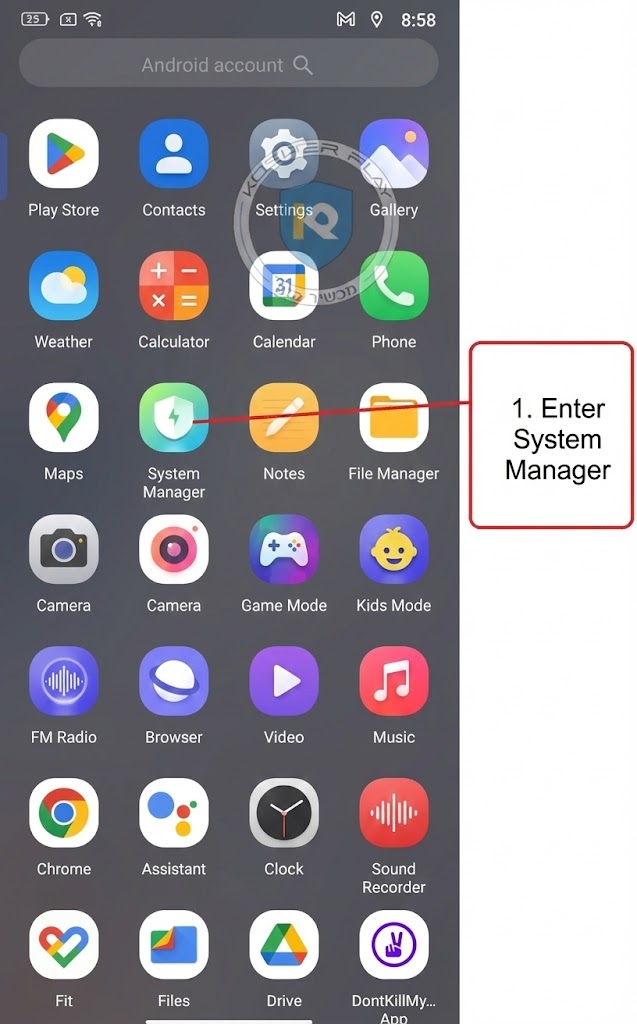
Enter the system administrator
2
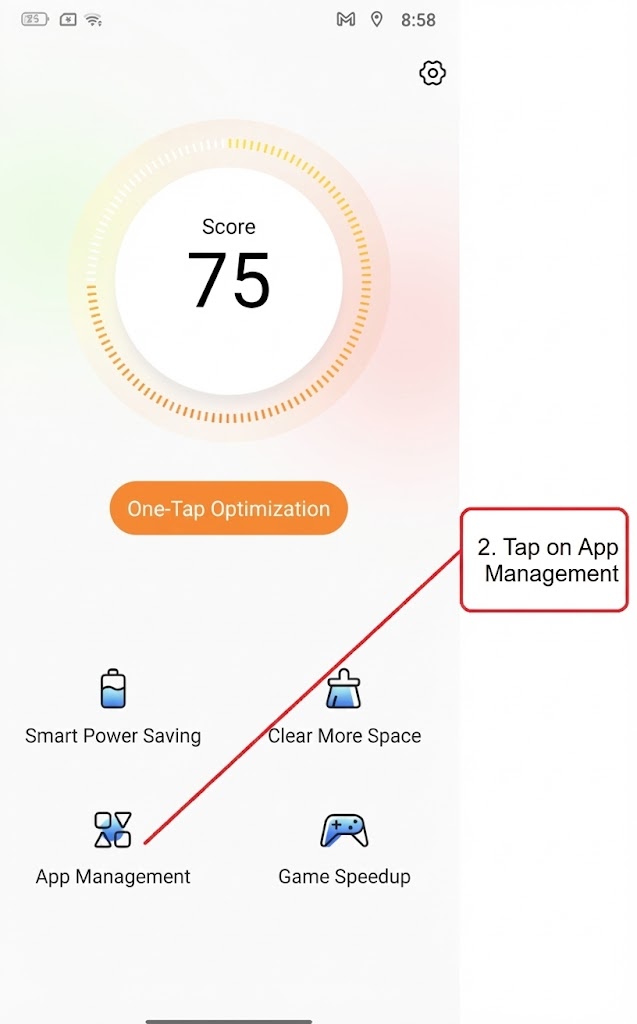
Click on the software details
3
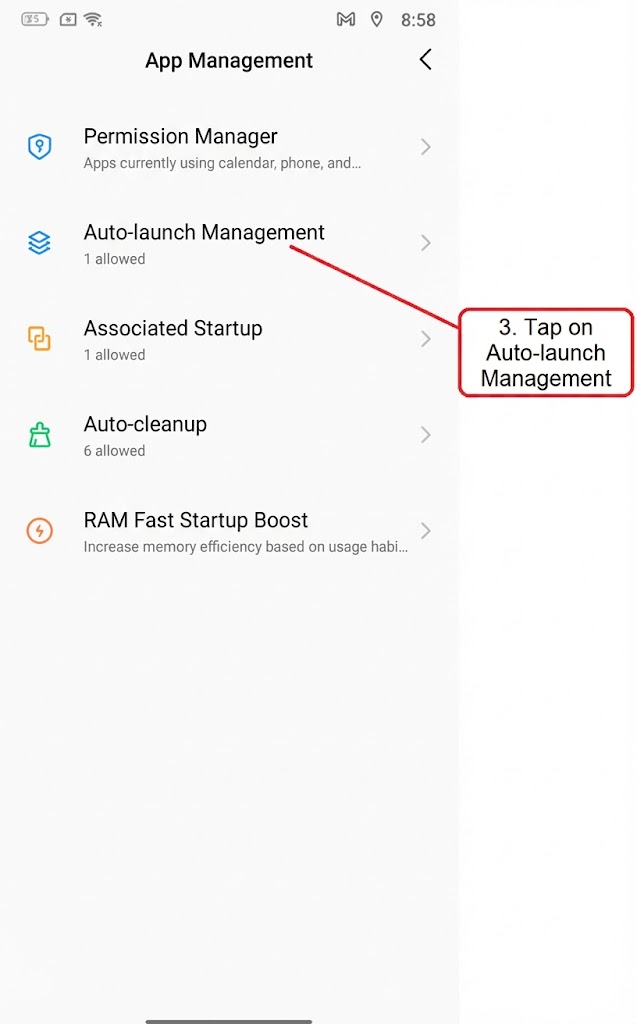
Click on Manage Autoplay
4
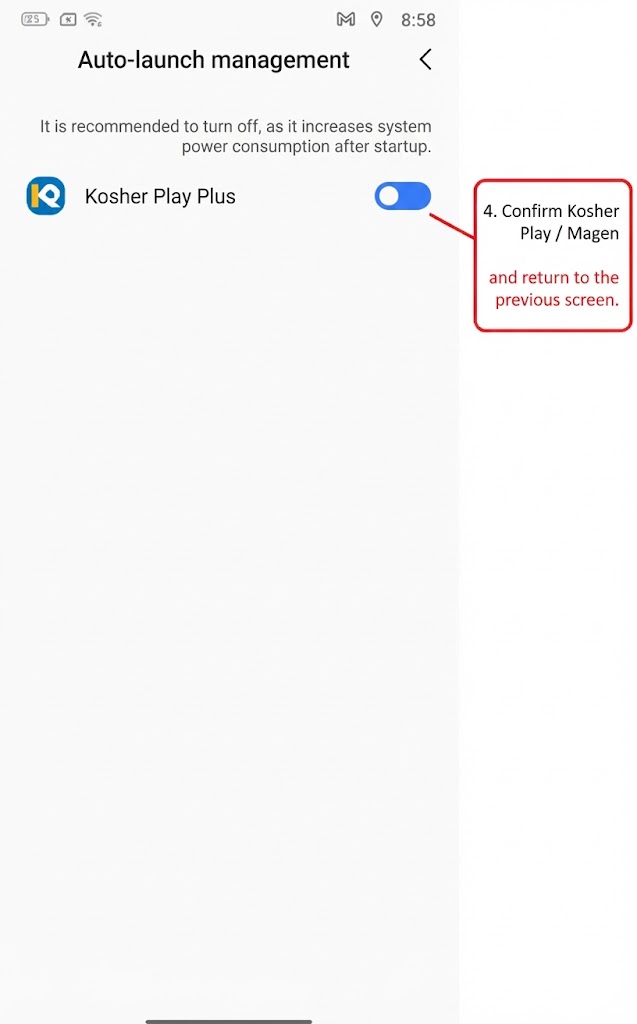
Confirm kosher play / Magen and return to the previous screen
5
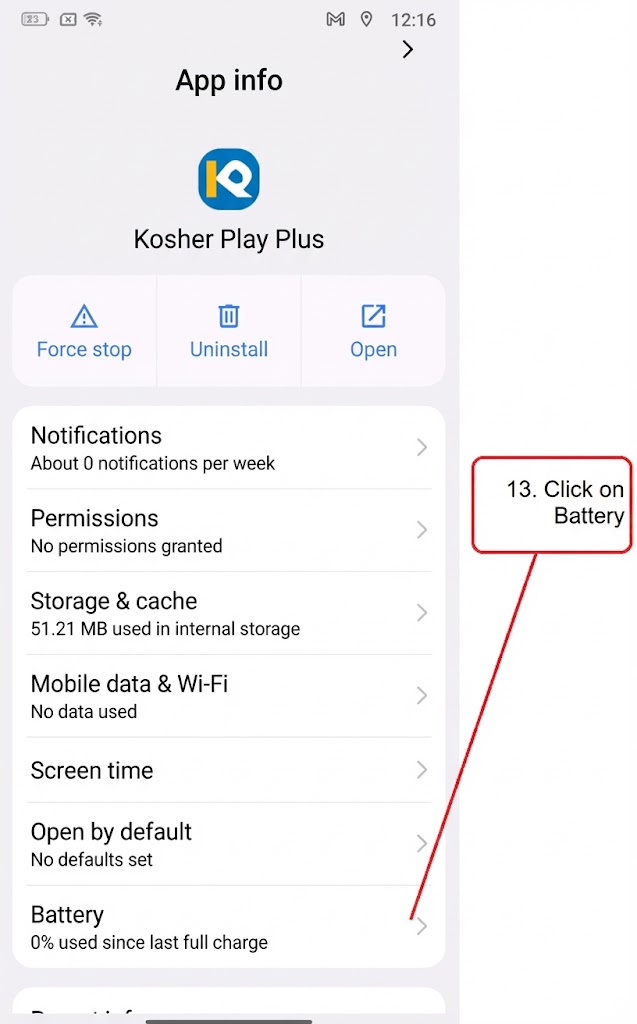
Click on battery
6
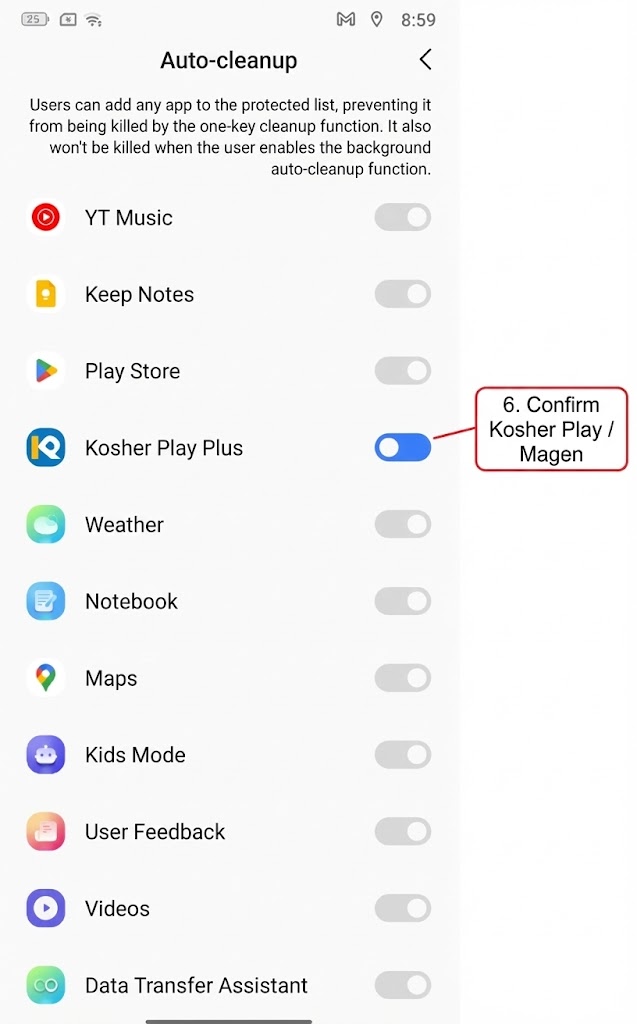
Confirm kosher play / Magen
7
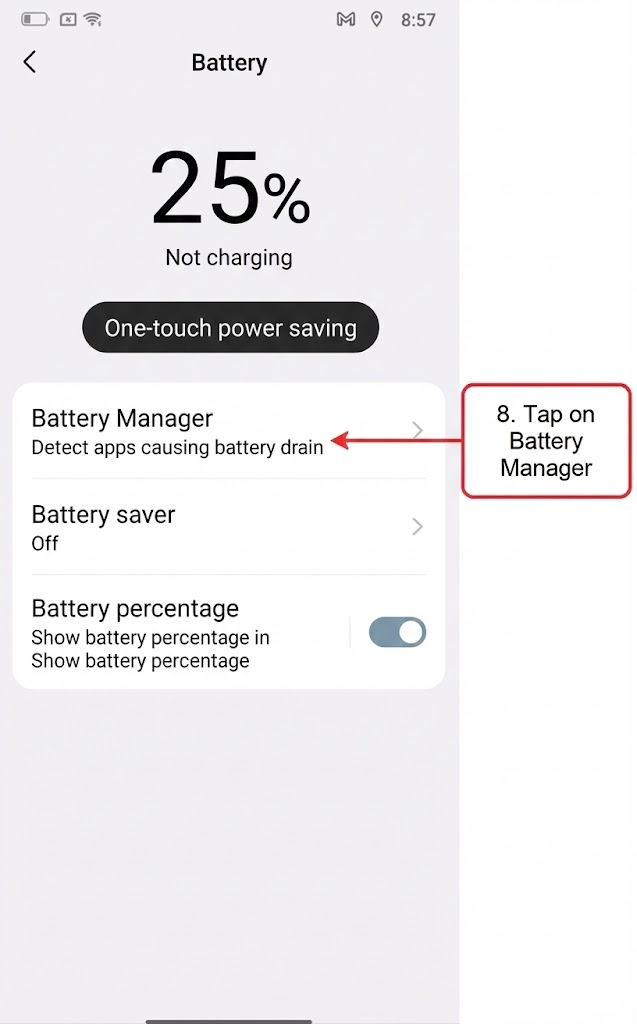
Click on Battery Manager
8
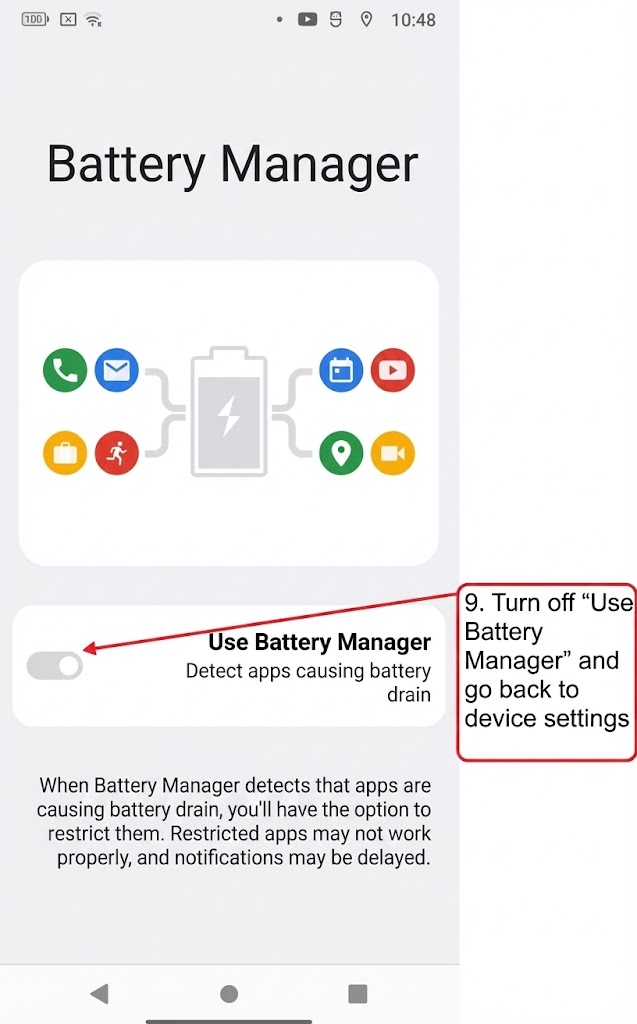
Uncheck Use Battery Manager and go back to device settings
9
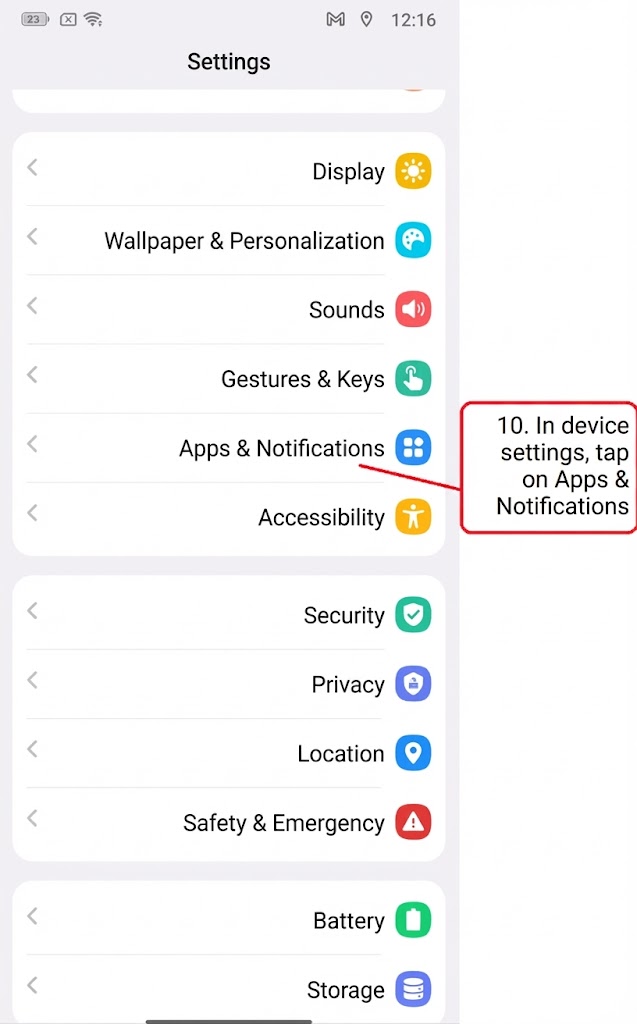
In the device settings click on apps and notifications
10
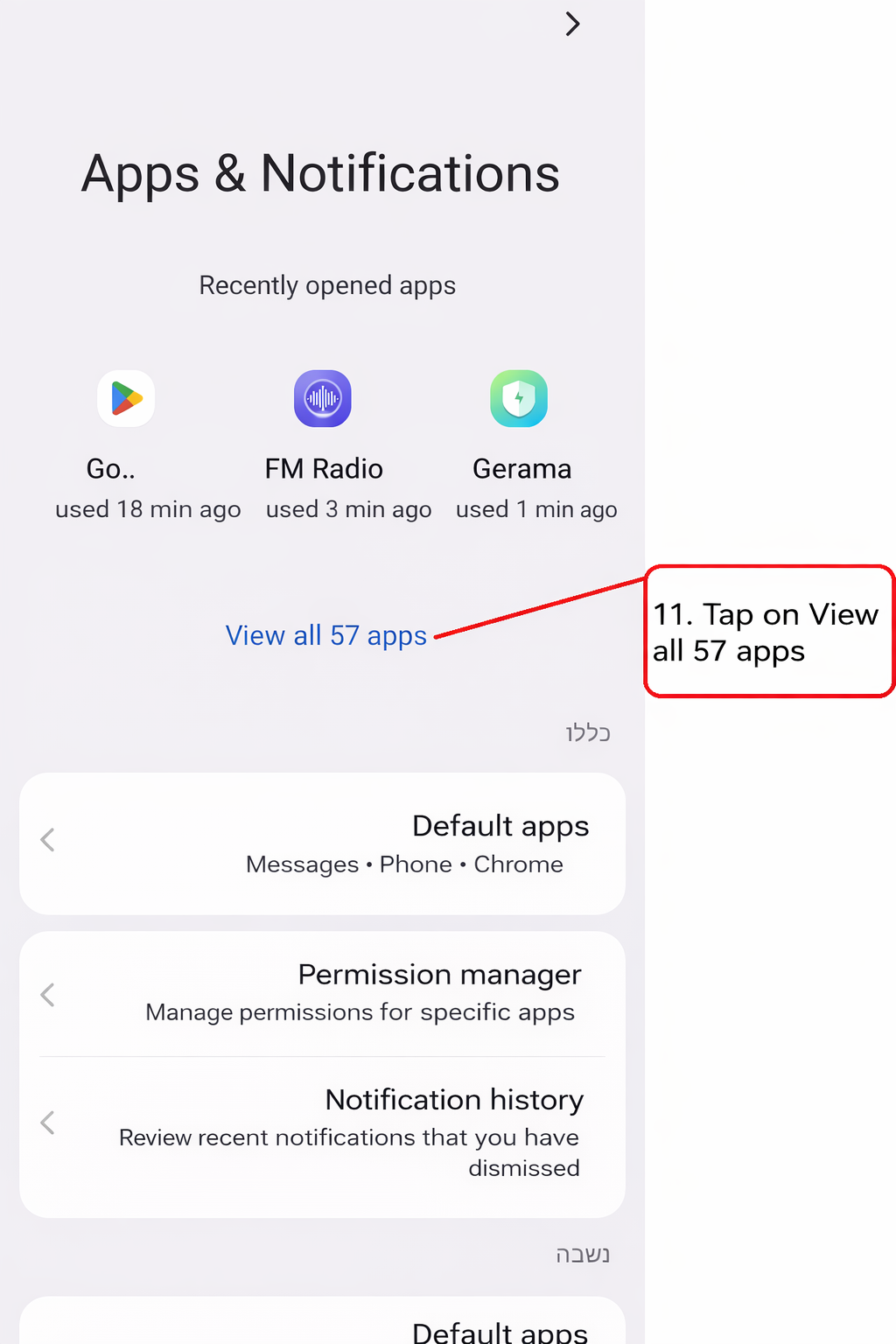
Click Show All Apps
11
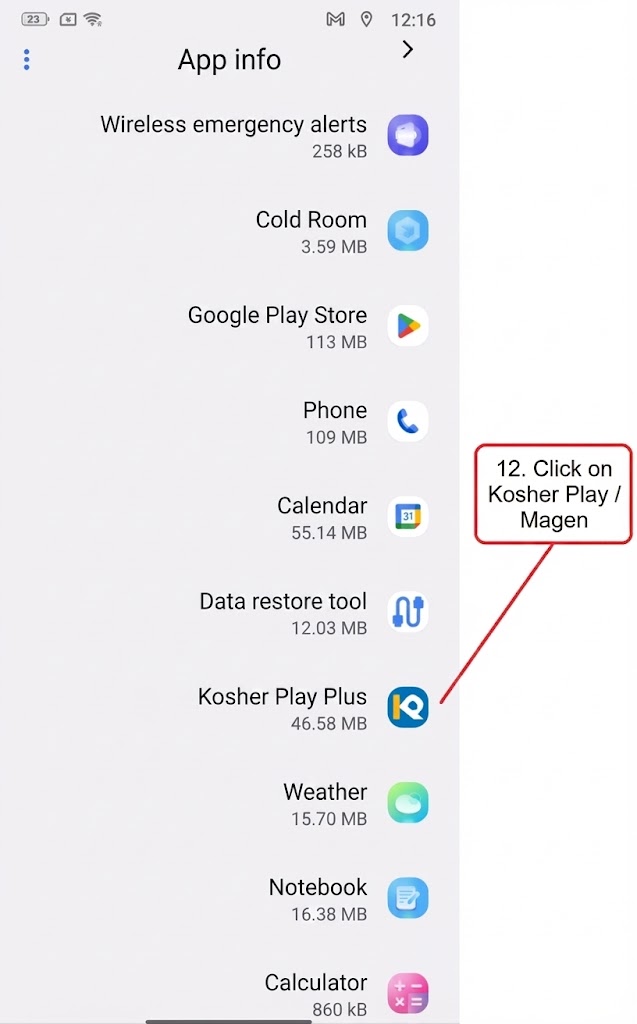
Click Kosher Play / Magen
12
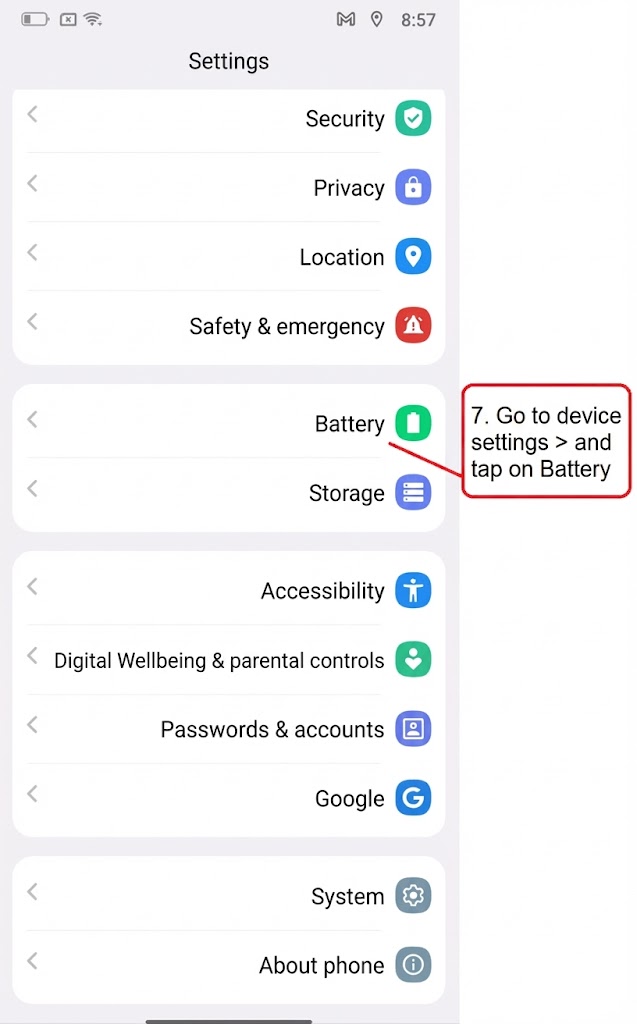
Go to device settings and click on battery
13
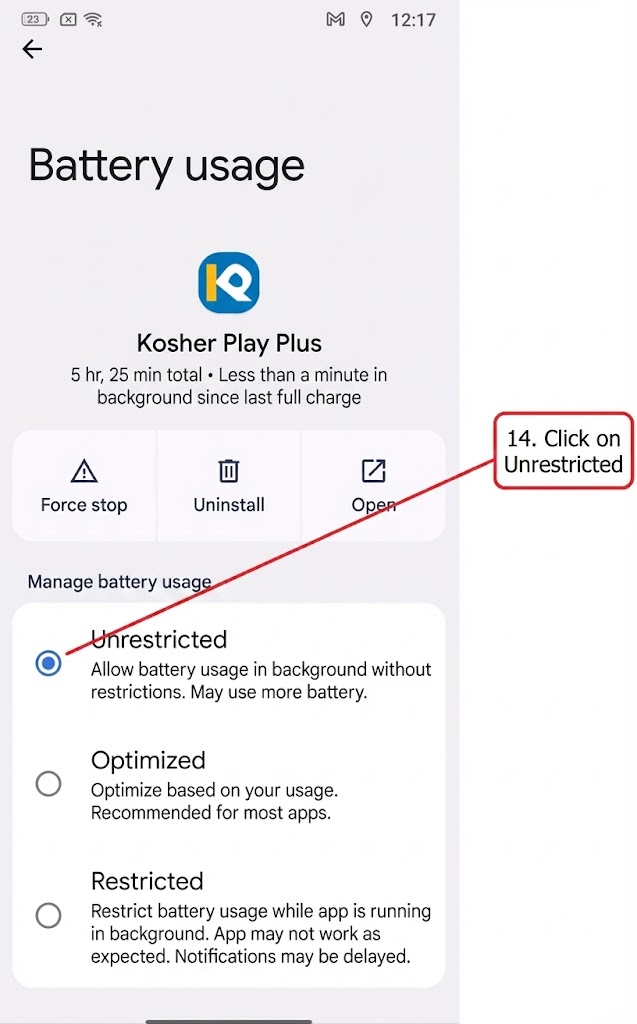
Click on Unlimited
