1
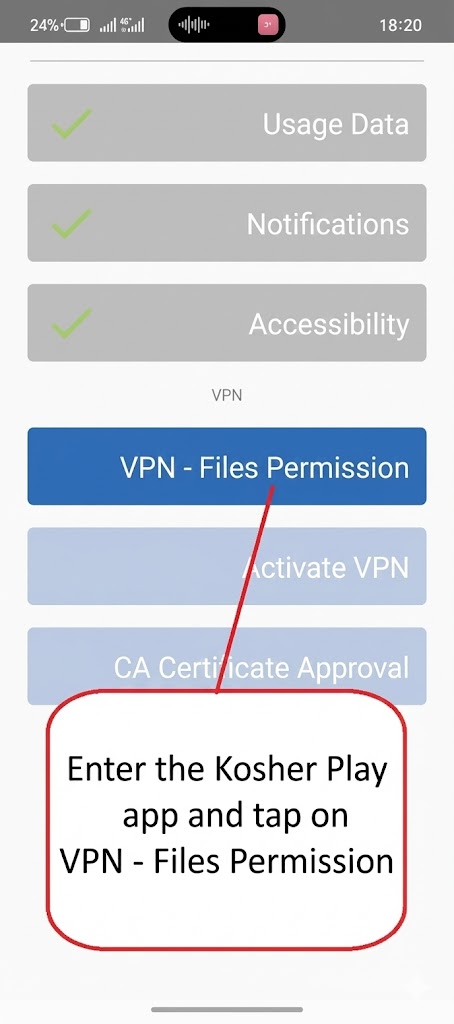
Enter the Kosher Play application and click on File Permission
2
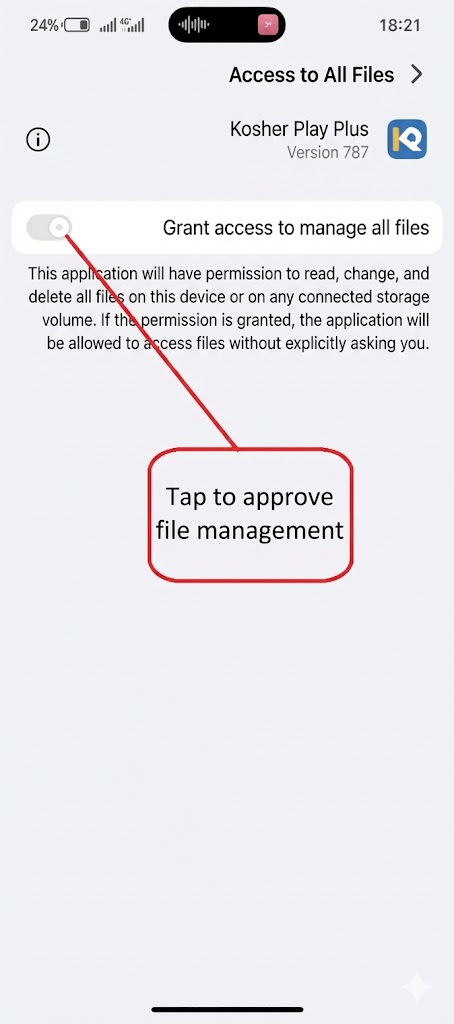
Click to confirm all files
3
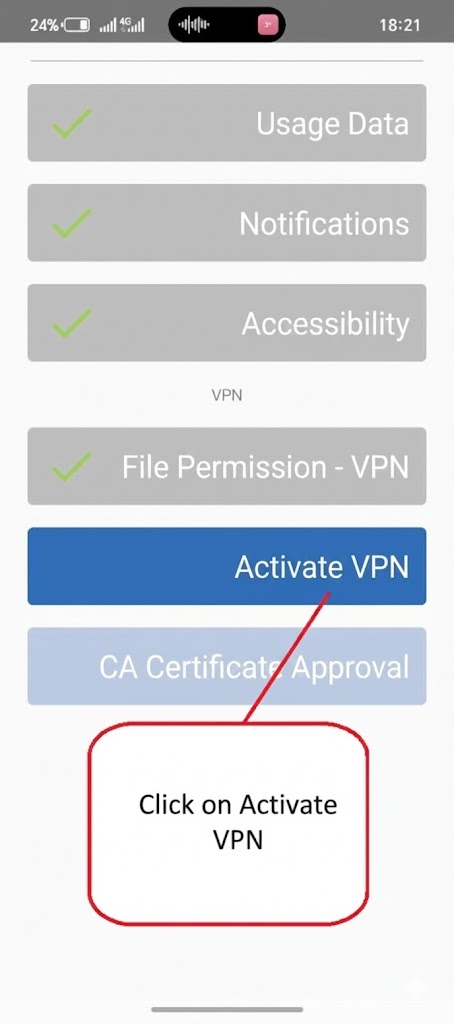
Click Enable VPN
4
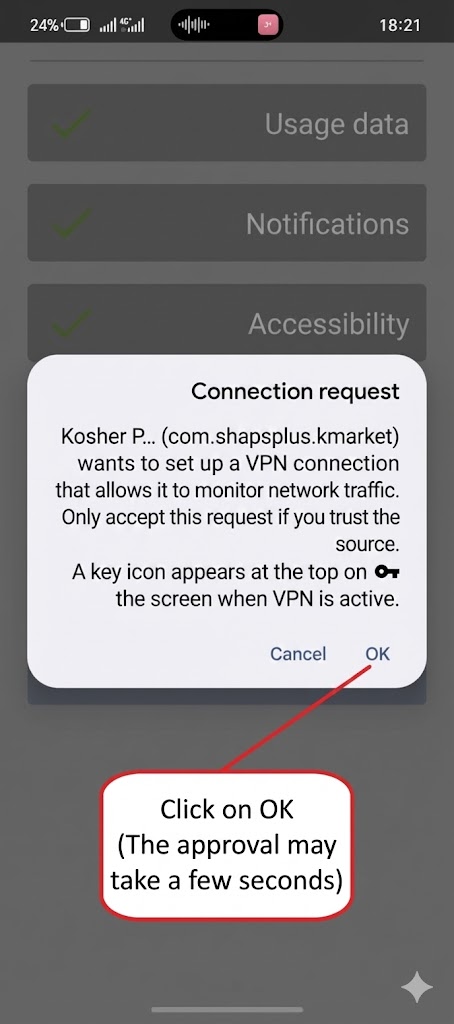
Click OK (the confirmation may take a few seconds
5
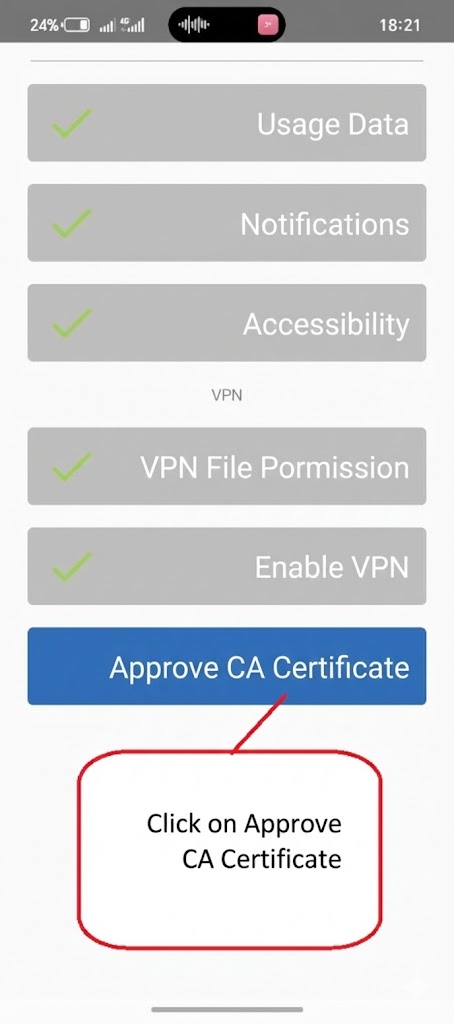
Click Verify CA Certificate
6
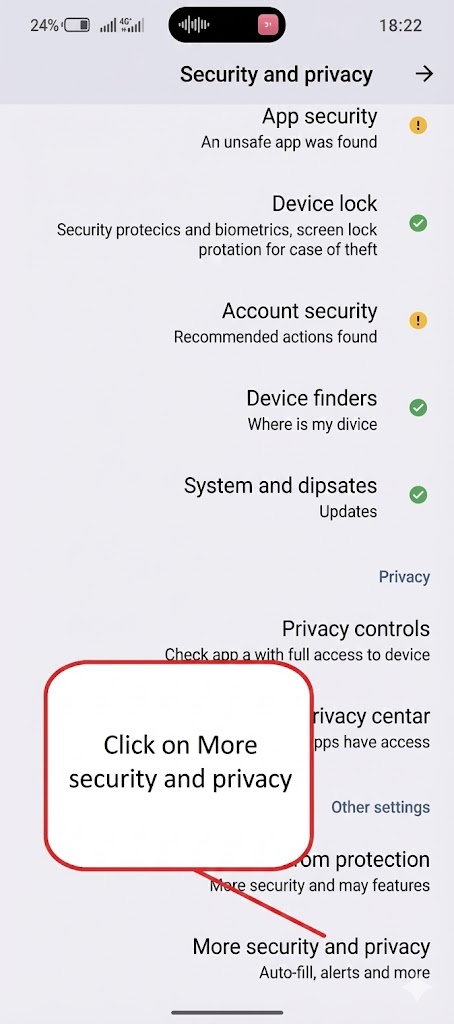
Click on more security and privacy
7
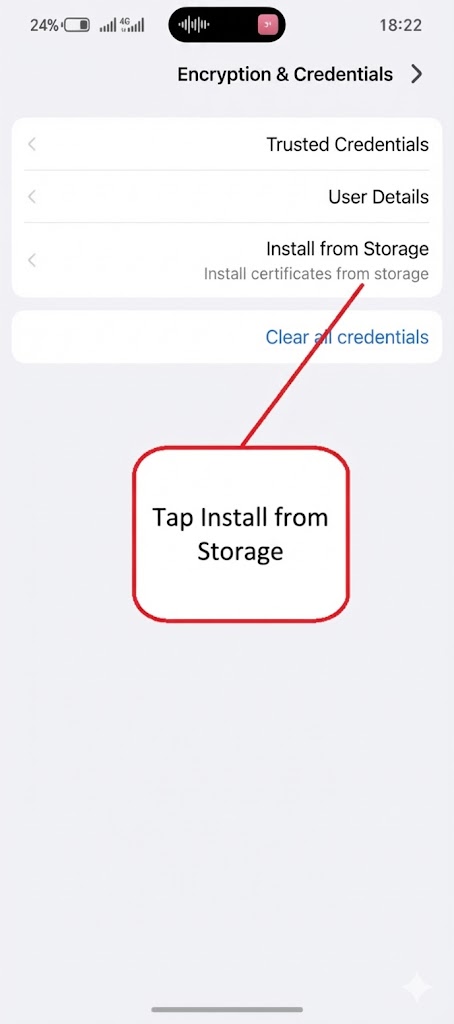
Click Install from Storage
8
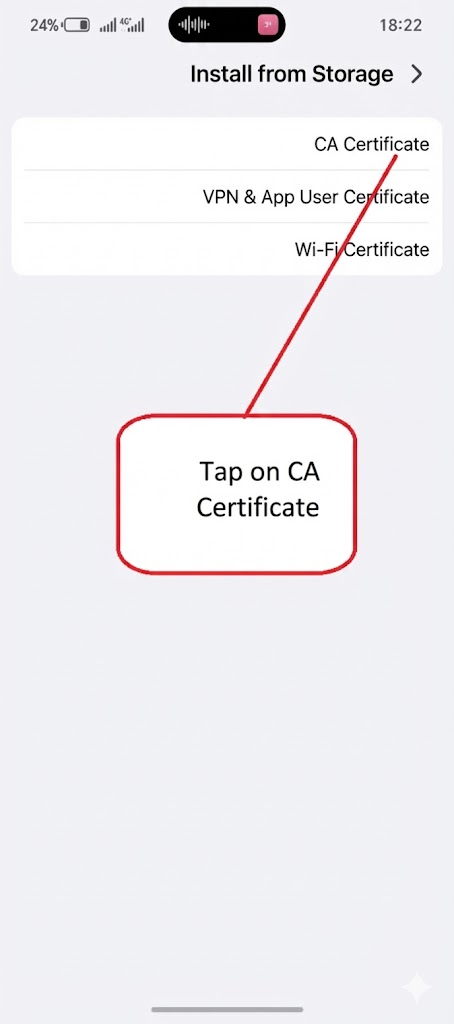
Click on CA certificate
9
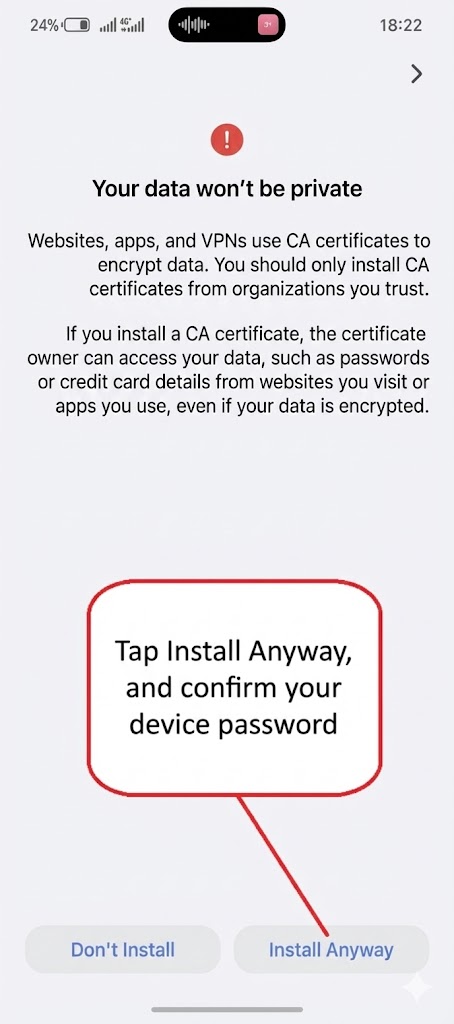
Click on install anyway and confirm the device password
10
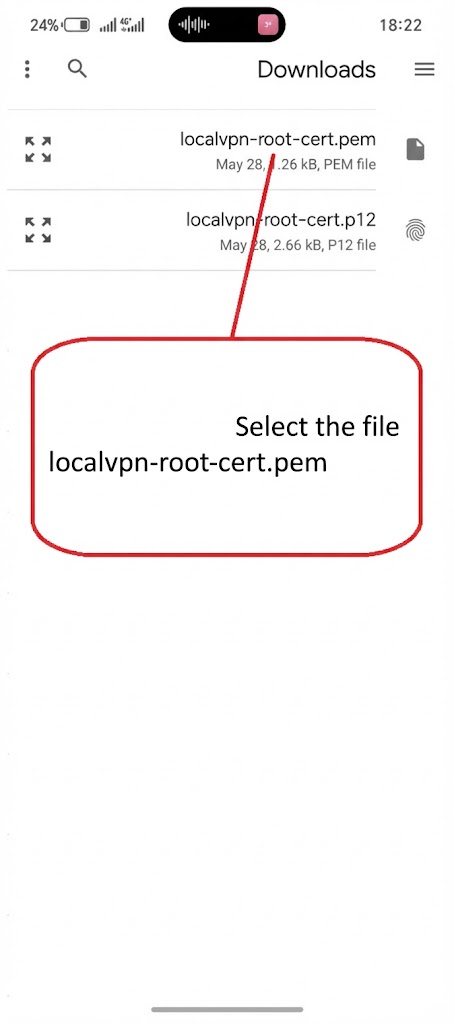
Select the file
localvpn-roor-cert/pem
